How sound pushes water out
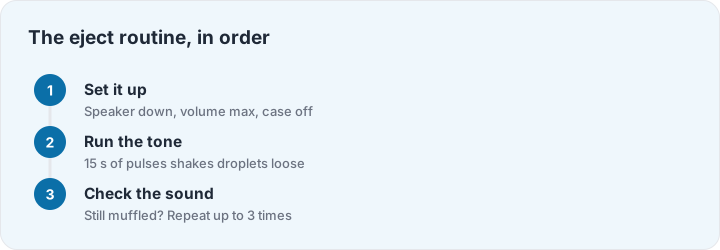
Water trapped in a phone’s speaker cavity behaves like any heavy drop in a small tube: give it a strong, rhythmic push and it moves. The eject tone is a low frequency pulsed wave — 165 Hz is the classic choice, made famous by the Apple Watch’s water lock — that vibrates the speaker membrane and shakes droplets out of the grille. Run it with the speaker facing down so gravity helps, and watch the grille: on a genuinely wet phone, tiny droplets bead up and fall away during the sequence.
This is the same trick as shaking water out of an earbud, but systematic: the tone moves water that shaking leaves behind, and it reaches the cavity you cannot see into. It works with plain physics, not magic — which is also why we are honest about its limits below.
What the eject tone can and cannot do
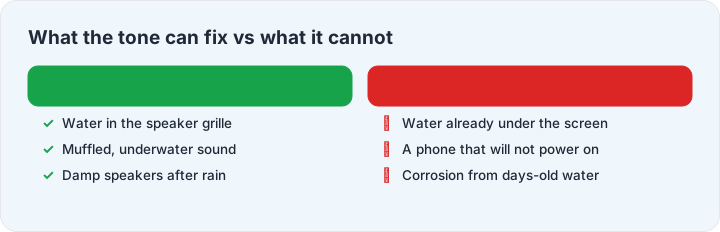
The tone helps when water sits in the speaker cavity — the muffled, underwater sound after a splash, a pool dunk or rain. That is the most common outcome of a wet phone, and it is exactly what sound can fix. It cannot help with water that has already migrated under the screen, into the charging port’s electronics, or into the battery compartment — and it will do nothing for a phone that will not power on. For those, the hour after the dunk matters more: our phone rescue guide walks the full protocol, including the steps everyone gets wrong (rice does nothing, hairdryers make it worse, charging too early is the real killer).
Tuning the sequence
Different cavities resonate at slightly different frequencies. Start with 165 Hz; if the sound stays muffled after two runs, try 180 or 200 Hz — larger speaker cavities in tablets and laptops often respond better a little higher. For speakers that crackle with dust rather than gurgle with water, the speaker cleaner page adds longer sweeps designed to buzz particles loose. iPhone owners get a dedicated walkthrough on the iPhone page, and earbud users should read the AirPods guide first — earpieces need a gentler touch than phone speakers.